




In this day and age!

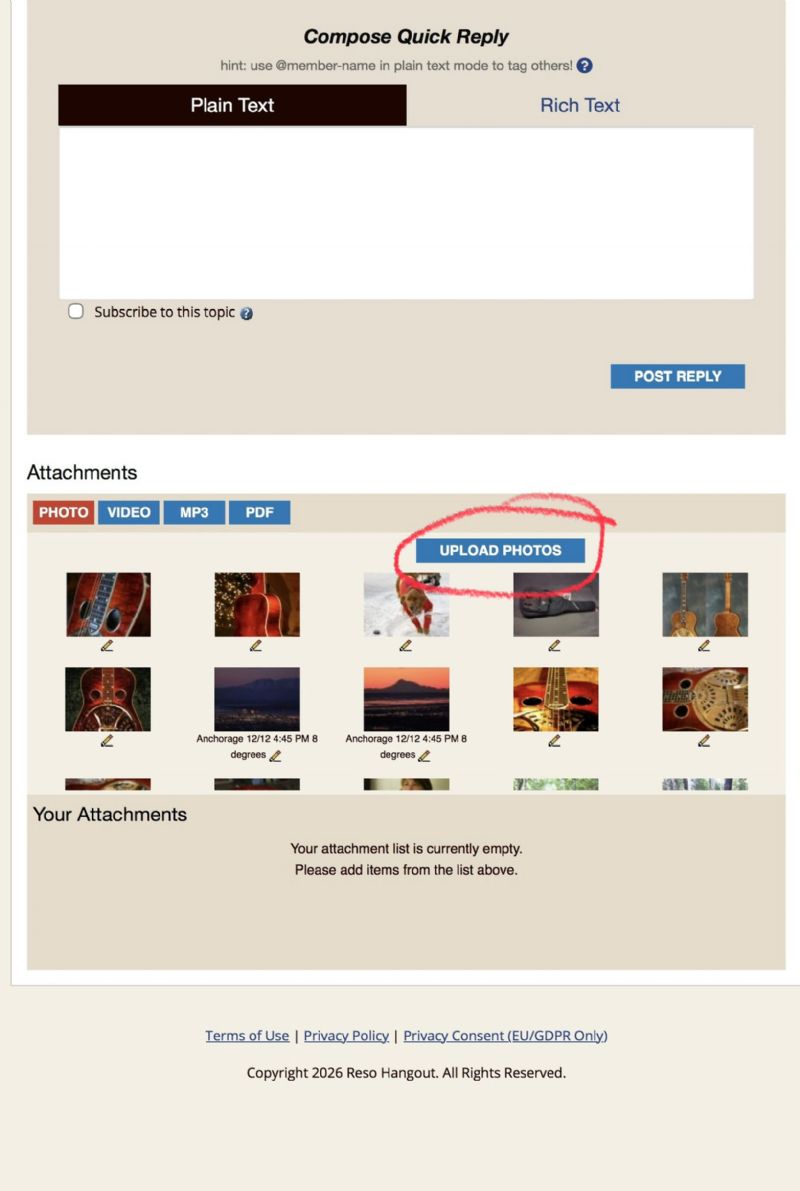
It's pretty easy to do in a post below where you click on the "UPLOAD PHOTOS" bar. If I'm entering a photo in a post I will have it in the Photos app on my iPhone.
But it does seem to be pretty old technology and the site owner Eric really hasn't done any work on it as far as I can tell in a long time.

I consider myself tech savvy to an extent. While your instructions appear like they will work, they don’t. It states it’s uploading the photo but it doesn’t. Worse, there’s no error message stating why. But, at least the price is right!
Edited by - skydog on 04/28/2026 05:47:24
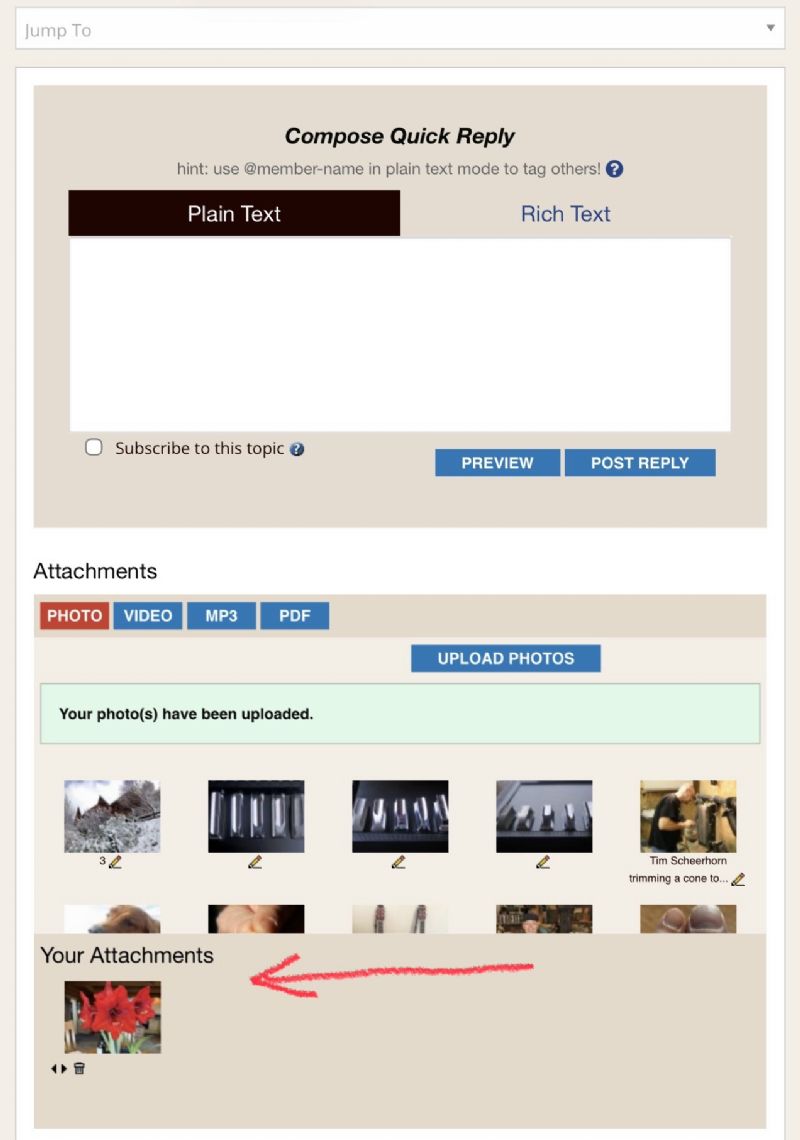
Here’s how:
1 press the upload photos button.
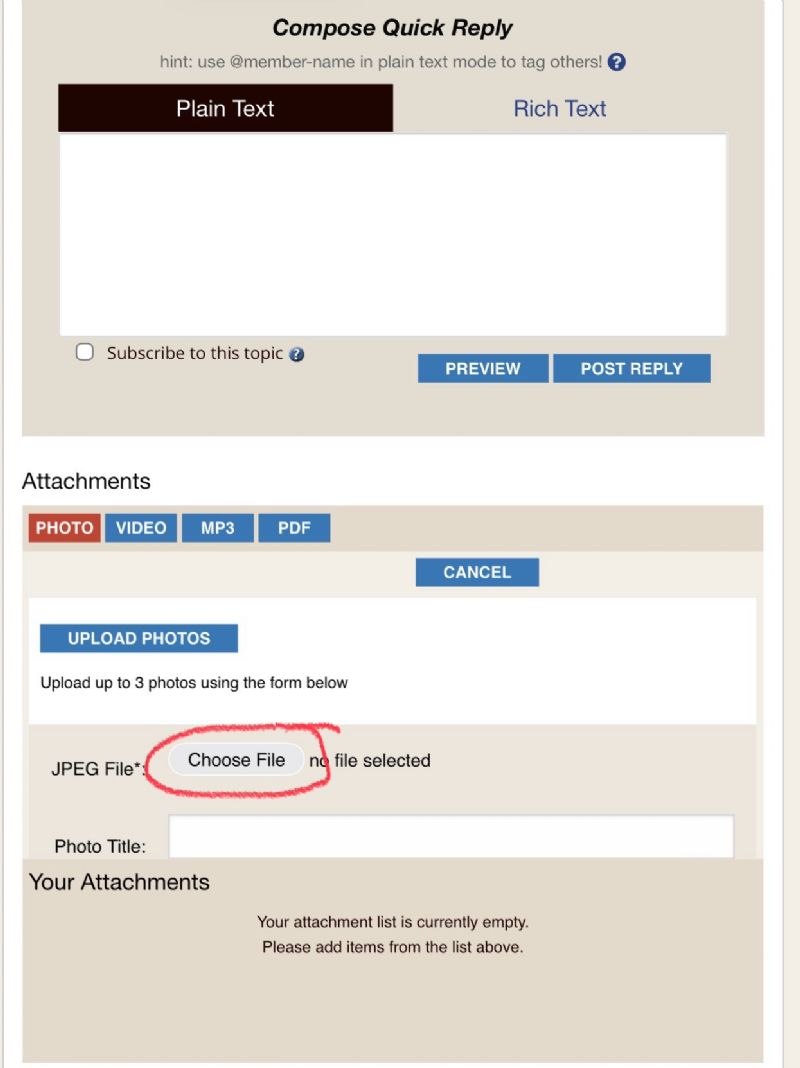
2 choose file. You can upload up to 3 at a time.
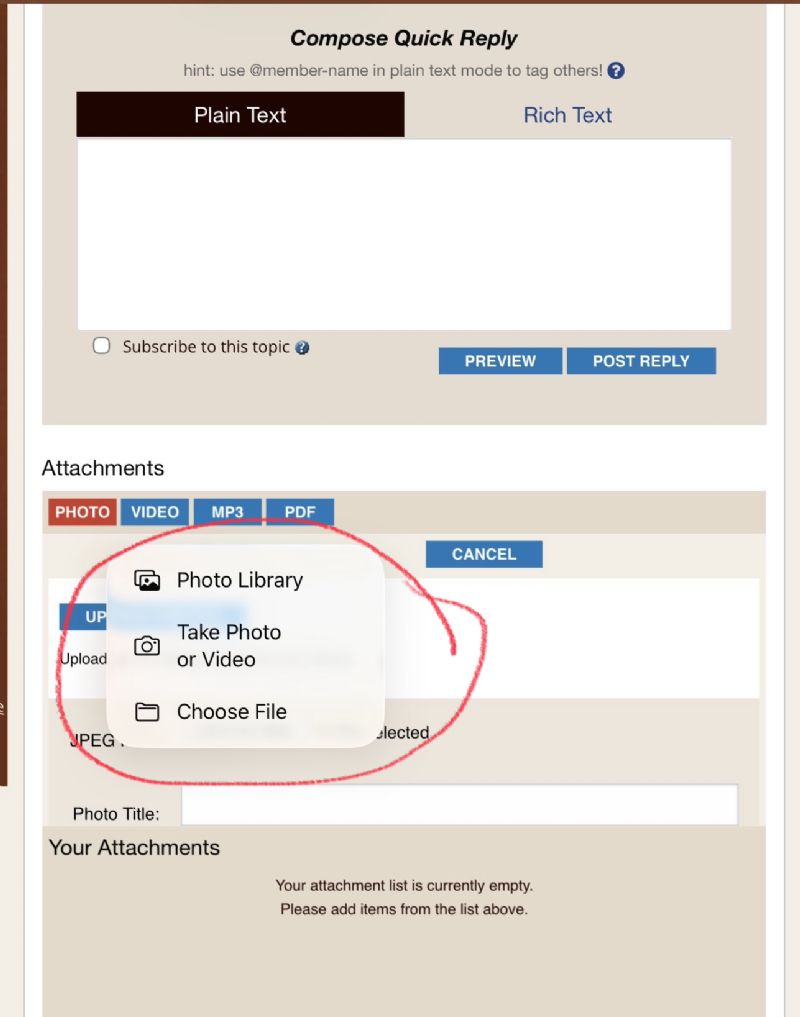
3 select your photo album, camera, or file folder
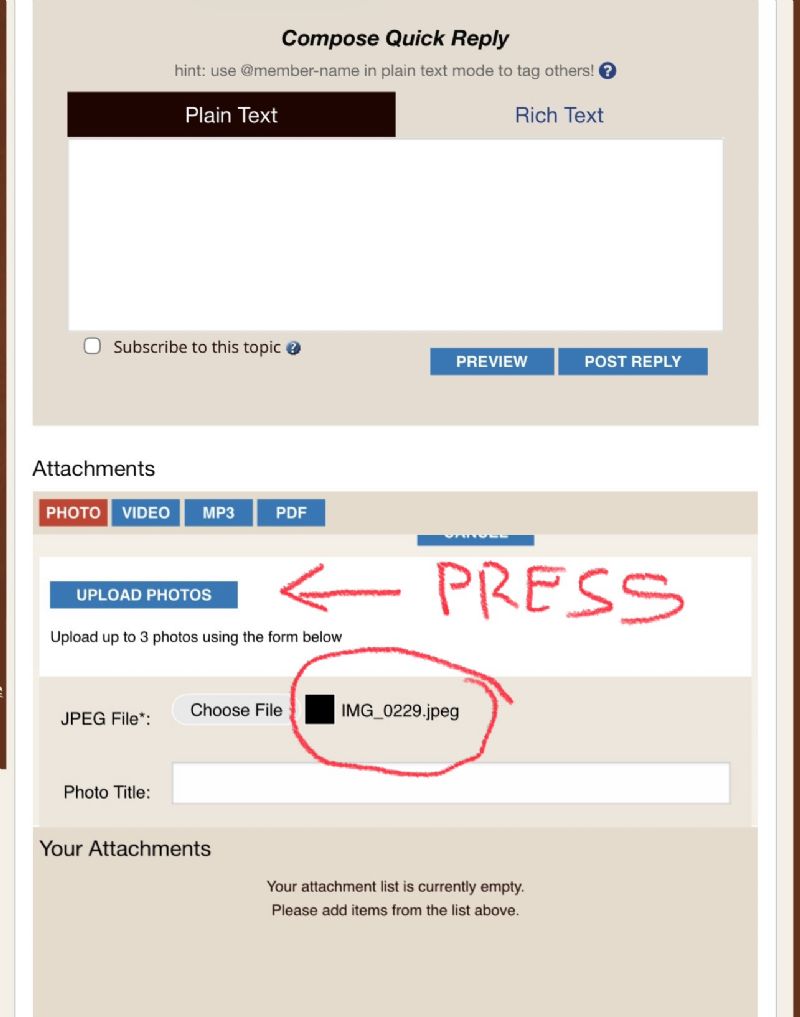
4 press the upload photos button. There will be a progress bar as it uploads.
5 your photos will display in “Your Attachments”. When you post your reply your attachments will post with it.
I uploaded 5 photos of the process for clarity.
Edited by - AK Slider on 05/03/2026 13:55:53
Terms of Use | Privacy Policy | Privacy Consent (EU/GDPR Only)
Copyright 2026 Reso Hangout. All Rights Reserved.

